Tornado Interceptor Lab Wiki
Fan overview of the Roblox Beta lab—facts, hubs, and how to play without the fluff.
Game identity
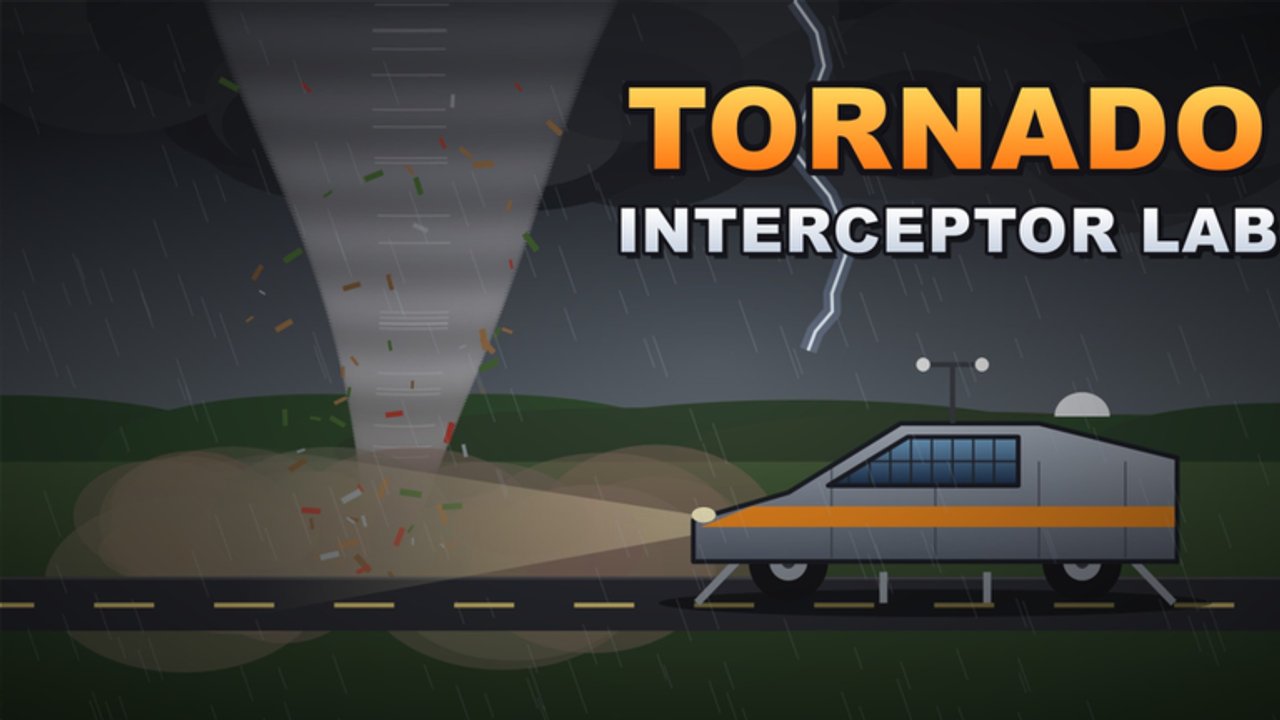
Tornado Interceptor Lab [Beta] (also styled Tornado Interceptor Lab.) is a Roblox simulation / vehicle sim from Arvexa studio. You design, paint, and kit custom tornado interceptors, then chase EF-scale storms while managing wind survival thresholds. The experience has been in early access / Beta since 2026-11-04, with online multiplayer lobbies (about 10 players), availability on PC, mobile, and console, and a rapidly growing visit count (roughly 435k+ when researched, with busy windows near ~5.5k concurrent and about 3.2k favorites).
Official place link (open in Roblox):
Technical IDs for builders and wiki maintainers: universeId 10774715419, placeId 132150005986776.
This page is a fan-made wiki overview, not an Arvexa-owned manual. For live join links and bug threads, use the community Discord the developers promote.
Core loop in one paragraph
Enter the lab → assemble a chassis → paint and hide parts → add flaps, spikes, and deployment gear → drive out to intercept tornadoes rated on an EF-style scale → keep the vehicle alive as wind speed climbs → iterate. Community craft emphasizes keeping the vehicle low so flaps cover the wheels (often cited as roughly +30–50 threshold), spray-can workflows that include a bucket fill mode, Cad 1 prototype inspiration, and Dominator-style spike builds. Rare talk of EF6 (~261+ mph) storms marks the extreme end of the fantasy.
Hub map
Use these locale-agnostic routes to explore the rest of the site:
- Codes — no confirmed active promo codes as of November 2026 research; redeem guidance when codes appear
- Scripts — no game-specific scripts confirmed; safety-first overview
- Tier List — community-informed Beta rankings for flap tanks, Dominator-likes, Cad prototypes, speed chasers
- Guides — full tutorial index
- Players — creators, Discord culture, notable builders
- Updates — Beta timeline since 4 Nov 2026
- Tools — intercept prep, threshold notes, build QA checklists
Deep tutorials:
Platforms, co-op, and Beta honesty
Everything runs inside Roblox’s cross-platform runtime. Co-op is online multiplayer, not a couch split-screen promise. Beta labeling means unfinished UI, odd physics edge cases, and patches that can land without a long essay—track them on Updates and re-run Tools after surprises.
What this wiki will not do
- Invent promo codes (Codes stays empty until proof)
- Host unverified executors (Scripts)
- Pretend rankings are official Arvexa balance sheets
- Replace the live game’s Discord for join logistics
How to use the wiki in your first hour
- Skim this overview and open the Roblox place.
- Complete Getting Started.
- Build a low shell with How to Build and Flaps & Deployment.
- Attempt a cautious chase via How to Intercept.
- Grade your archetype against the Tier List.
Fact sheet
| Field | Value |
|---|---|
| Name | Tornado Interceptor Lab [Beta] |
| Studio | Arvexa studio |
| Genre | Simulation / Vehicle Sim |
| Release | Early access / Beta since 2026-11-04 |
| Platforms | Roblox (PC, Mobile, Console) |
| Co-op | Online multiplayer (~10 players) |
| Fantasy | Build interceptors, deploy kits, chase EF-scale tornadoes |
When facts change—new codes, new systems, renamed parts—we update hubs to match. Until then, treat the lab as a living experiment: wrench, chase, log, repeat.
Frequently Asked Questions
Quick answers about Tornado Interceptor Lab on Roblox.
Is this the official Arvexa wiki?
No. It is a fan-made guide site. Prefer developer Discord and the Roblox group for official join links.
Is the game free to play?
It is a Roblox experience—use the official place link above. Optional Roblox purchases follow normal platform rules.
Does it support multiplayer?
Yes. Online multiplayer with a small server cap around ten players.
When did Beta start?
Early access began on 4 November 2026.
Where should I go after this overview?
Open Getting Started, then the Tools checklists, then attempt a low-stakes intercept.